Building a home theater system is every movie enthusiast’s dream, but the downside of it is the graveyard of remote controls on your table—you don’t want to be juggling through them with the snack in one hand, do you? With a universal remote control, on the other hand (literally!), you can control all your devices very conveniently—it’s going to be like your newfound superpower.
With a well-designed universal remote, you change the way you experience content at home. It allows you to streamline your setup, cuts down clutter, and brings all your devices under one easy-to-use device. Doesn’t matter if it’s the most basic setup or a complete home theater; with the right device, you can make all your entertainment tech bend to your will.
That’s where we come in; in this guide, we’ll walk you through 7 of the best universal remote controls that you can buy from Amazon. The list has remote controls of different budgets and features, giving you a good number of options to choose from.
How To Set up a Universal Remote?
MORE FROM COMINGSOON
Best Universal Remote Controls for TVs in 2025
Your table isn’t going to be piled up with remote controls anymore. Check out the list of our favorite universal remotes that’ll make your life easier.

BEST OVERALL
SofaBaton U2 Universal Remote Control
Best With Backlit Buttons
GE UltraPro Backlit Universal Remote Control
Best for Easy Setup
Acoyer Universal TV Remote Control

Best for LED Smart TVs
Arbxvnr Universal TV Remote Control

Best With Master Volume Control
Philips Backlit Universal Remote Control
Best for Large Rooms
GE Universal Remote Control
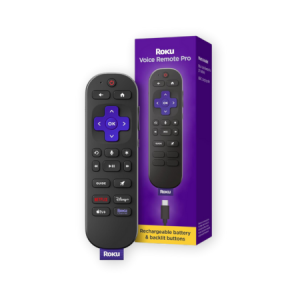
Best for Roku Devices
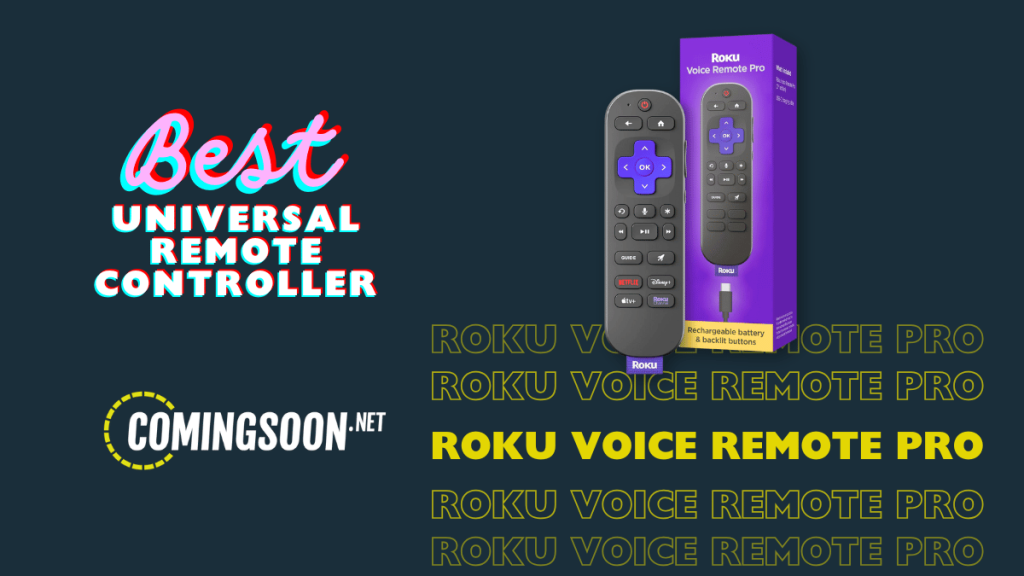
Roku Voice Remote Pro (2nd Ed.)
BEST OVERALL
SofaBaton U2 Universal Remote Control

PHOTO CREDIT: AMAZON
Why We Love
Multiple pairing options
Macro commands
Learns commands from the old remote
35-foot extended IR range
Large buttons and customizable functions
But…
Steep learning curve
Sometimes, more is definitely not merrier. The SofaBaton U2 lets you ditch all of your remotes to control it from just this one. This sleek device runs up to 15 IR/Bluetooth devices, from modern TVs to soundbars, thanks to its database of 6,000+ brands and 500,000+ devices. You can set it up with the SofaBaton universal remote control app, which lets you add devices, organize button layouts, and even build macros! With just one button, you can turn on your TV, audio systems, and streaming devices all at the same time. With IR, Bluetooth, and learning modes, the U2 adapts to your setup, even teaching itself commands from your original remotes. The buttons are large and backlit, reducing the struggle during the night.
Best With Backlit Buttons
GE UltraPro Backlit Universal Remote Control
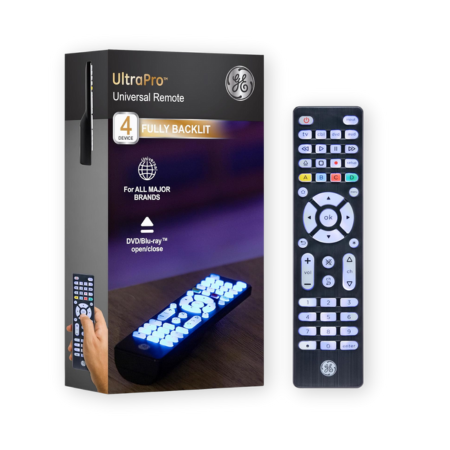
PHOTO CREDIT: AMAZON
Why We Love
Controls up to 4 devices
Backlit buttons with blue LEDs
Programmed for Samsung TVs
Controls audio and video devices
Works with Roku and Fire TV
But…
Backlight turns off when idle
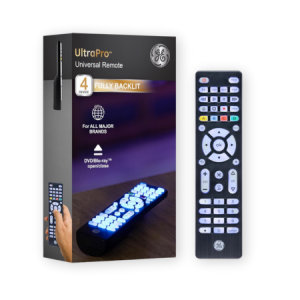
The GE UltraPro Backlit Universal Remote Control is one of the most trusted brands and devices that help in organizing a home theater setup. This compact remote can control up to 4 devices at once using its infrared sensors, including a TV, Blu-ray/DVD player, soundbar, cable box, and popular streaming stick, like Roku and Fire TV. What sets it apart from many others is its backlit buttons, which prevent any accidental button press in the dark. And if you have a Samsung, this remote is compatible, without any manual setup. Don’t worry about other devices, it’s extremely easy to pair it with other brands, too.
Best for Easy Setup
Acoyer Universal TV Remote Control

PHOTO CREDIT: AMAZON
Why We Love
Compatible with major brands
Easy to set up with all devices
Includes code list for all devices
Clean button layout
But…
Doesn’t support Roku and Fire TV devices
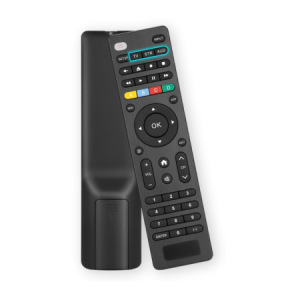
The Acoyer Universal TV Remote Control is slightly more expensive than the GE, but it’s still one of the highest-selling universal remotes on Amazon. The thing is, it supports a much wider range of devices and brands, which takes out a lot of guesswork about compatibility with your devices. It even works with DVD/Blu-ray players and media streamers; just not the picky bunch like Roku Sticks, Fire TV Sticks, or any “Fire TV” devices. The setup is straightforward, so you don’t have to be tech-savvy to figure it out.
Best for LED Smart TVs
Arbxvnr Universal TV Remote Control
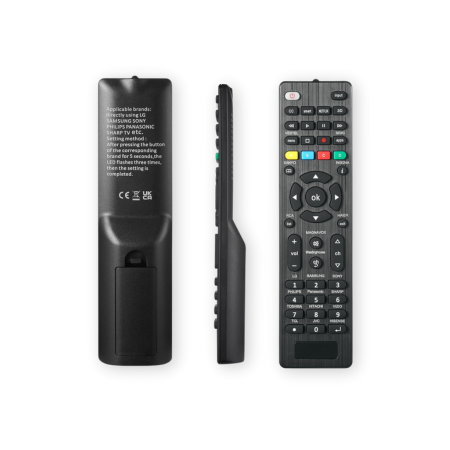
PHOTO CREDIT: AMAZON
Why We Love
Lightweight and durable build
Dedicated “app” button
Less than a minute to set up
Works with major brands
But…
Supports only smart TVs
If you’ve lost your TV remote and find the official one too expensive, then the Arbxvnr Universal TV is a fantastic remote to replace it with. It uses infrared technology to directly control your smart TV; no Wi-Fi or Bluetooth needed. The remote’s IR offers nearly instantaneous feedback at ranges of up to about 8 meters, that is, if it’s not blocked by any other object. It is designed exclusively for TVs, so it doesn’t pair up with other devices like soundbars. The button layout is intuitive with a dedicated ‘apps” button that takes you directly to your favorite apps. This is one of the best universal remotes for smart TVs.
Best With Master Volume Control
Philips Backlit Universal Remote Control
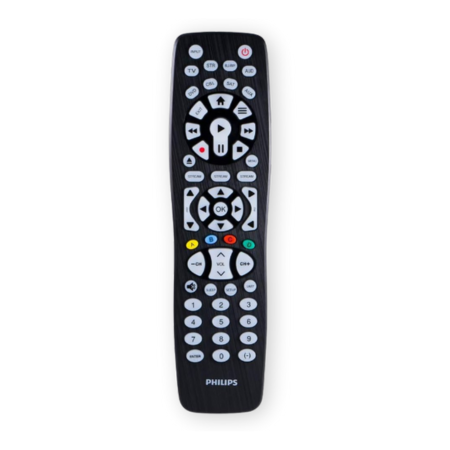
PHOTO CREDIT: AMAZON
Why We Love
Master volume control
Impressive remote code library
Very easy to set up
Manages up to 8 devices
90-day limited assurance policy
But…
Pricer than most
The Philips SRP9488C/27 Universal Remote is your all-in-one solution to control up to 8 different devices. It includes one of the best remote code libraries in the game and supports thousands of the latest A/V devices across all major brands. And with its Master volume control, you can easily manage the volume of all devices. If you’re having trouble finding the right code, you can utilize its auto code search to scan for the right match, which is highly appreciated! While it doesn’t work with RF devices like Roku Streaming Sticks or Fire TV Sticks, it handles most IR-based gadgets like a pro. Lastly, the setup is straightforward thanks to an easy-to-follow online video.
Best for Large Rooms
GE Universal Remote Control
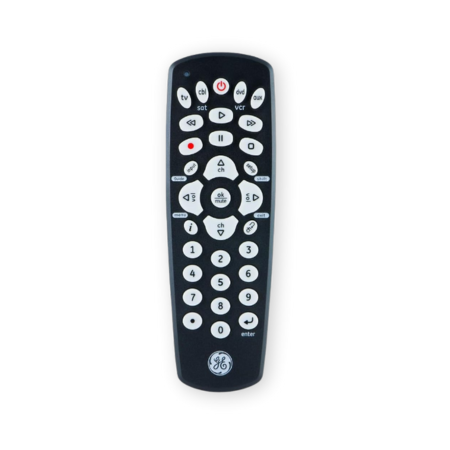
PHOTO CREDIT: AMAZON
Why We Love
Manages up to 4 devices
Infrared-based connectivity
Supports a wide range of devices
Preprogrammed for Samsung TV
Built-in auto-code search feature
But…
Doesn’t support RF-based Roku and Fire TV
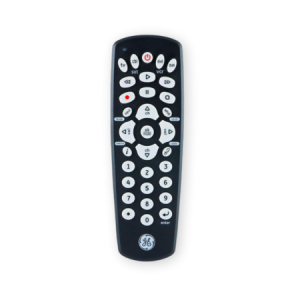
If you have a large room where you’ve set up your home theater, then you can use the GE Universal Remote Control to manage all your devices within 10 meters. It’s a no-fuss solution that can control up to 4 devices. It could be anything, including TVs, Blu-ray/DVD players, soundbars, cable boxes, and more. With a massive GE universal remote codes library, there’s hardly any device that it won’t be able to support. Just like the previous GR universal remote on the list, this one also works as a universal TV remote for Samsung TVs without any pairing. It even has an ergonomic design that feels good when you hold it—it wasn’t necessary, but GE went that extra mile for a better user experience. That’s how you know it’s going to be good.
Best for Roku Devices
Roku Voice Remote Pro (2nd Ed.)
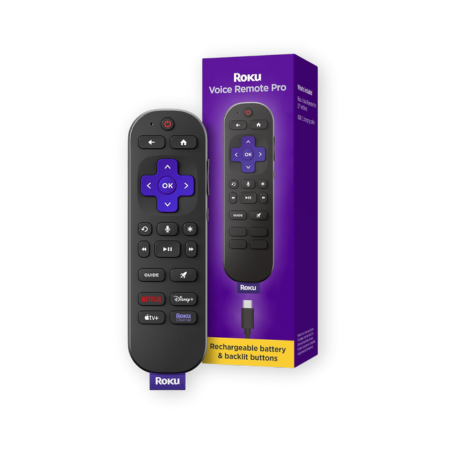
PHOTO CREDIT: AMAZON
Why We Love
Compatible with all Roku devices
Backlit buttons for nighttime
50% more battery than its predecessor
Quick access to live TV
Built-in voice command feature
Personalized shortcuts
But…
Expensive
If you have built an entire Roku entertainment ecosystem, then the Roku Voice Remote Pro (2nd Ed.) is going to make your life easier. With some noticeable upgrades from its predecessor, this also features 50% more battery life, and it runs for up to three months on a single charge. This all-in-one remote controls your Roku TV, Roku players, and Roku systems. The backlit buttons light up in the dark, so you can pause, play, and adjust the volume without guessing where each button is. And if the remote magically vanishes from your sight, you can just say, “Hey Roku, where’s my remote?” and it’ll let you know where it is. This is one of the best universal remotes in the USA.
MORE FROM COMINGSOON
How To Set up a Universal Remote?
Setting up a universal remote is a very simple process that should take less than a minute.
- First, make sure you have the code list that would’ve been provided with the remote control, and mark the ones that correspond to your brand of device.
- Make sure that the device that you want to control is turned on.
- Press and hold the SETUP button until the lights blink on the remote. Note that some remotes might not have this button; instead, you might need to press multiple buttons to activate it. So, read the instructions about the specific button(s).
- Now, enter the code for the brand of device from the manual, point it towards the device, and see if it responds.
- If it responds, then you’re good to go! But if it didn’t work, you can try an alternative code from the manual.
If you find it difficult to make it work through codes from the manual, try and use the auto code search feature, if you have it. There would be detailed information about it in the manual, since it varies from brand to brand.
There’s also another method that you can use—the IR learning method. This is a tedious and long process, so use this as a last resort.
- Place your original remote and universal remote head-to-head.
- Press the learning mode button on your universal remote or whatever is for your remote brand.
- Press a button on your original remote, then the same one on the universal.
- Repeat for other buttons you want to teach.
Once you’re all done, test the remote to see if everything works as intended. If not, repeat the process until you get it all synced up.
How We Chose the Best Universal Remote Controls
These universal remote controls were chosen by our team of in-house experts who have tested tens of remote controls for a wide range of products. By the end of the test, they had tried over a dozen different remote controls to see what works best for the general audience. They tested for factors such as ease of setup, compatibility, build quality, and so much more. The team also considered other users’ experiences online to understand their experiences with it. After all the tests and research were done, they finalized this list.
FAQ
Can I use a universal remote on any TV?
A universal remote is built to support most TVs, but always ensure to check the specifications to see if it’s compatible with specific brands that you own.
Is there a real universal remote app?
Yes, there are several universal remote apps that you can find on the App Store and Google Play.
Are universal remotes IR?
Yes, most of the modern universal remotes use IR to connect to devices.
Which remote works for all TVs?
Remotes like SofaBaton U2 Universal Remote Control and GE UltraPro Backlit Universal Remote Control support the most popular and commonly used TV brands.
How do I know if a remote is universal?
By simply reading through the product description, you can understand if the remote control is universally compatible or not.